Is the One UI 9.0 update the Best for Galaxy Tabs?
One UI 9.0 update brings exciting features to Galaxy Tab S9 series.
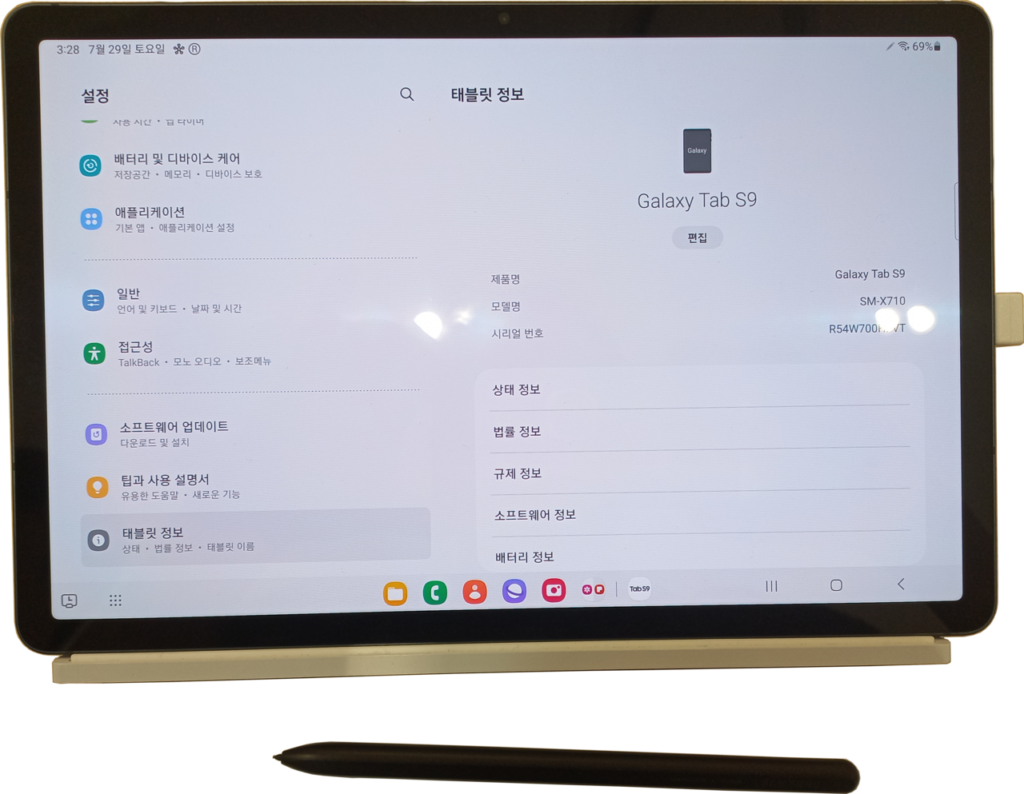
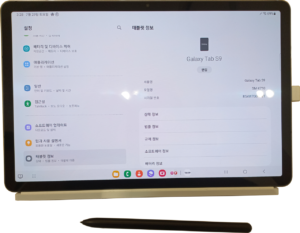
The One UI 9.0 update is now available for Galaxy Tab S9, Tab S9+, and Tab S9 Ultra. This update introduces several new features aimed at enhancing user experience.
What’s New in One UI 9.0?
The highly anticipated One UI 9.0 update brings a host of new features and improvements designed to enhance the user experience for Galaxy Tab users. With its rollout now available for the Galaxy Tab S9, Tab S9+, and Tab S9 Ultra, users can expect significant upgrades that improve both functionality and usability.
Among the standout features in One UI 9.0 are:
- Revamped User Interface: The update introduces a more streamlined and intuitive interface, making navigation smoother and more visually appealing.
- Enhanced Multitasking: Users can now enjoy improved split-screen functionality and pop-up windows, allowing for better productivity and the ability to run multiple apps simultaneously.
- New Widgets: One UI 9.0 includes customizable widgets that provide quick access to important information and app functionalities right from the home screen.
- Camera Improvements: The update enhances the camera capabilities, introducing new modes and improved editing tools for better photo and video quality.
- Security Enhancements: With the latest update, users will benefit from more robust security features, ensuring their data remains protected.
Overall, the One UI 9.0 update promises to deliver a more cohesive and enjoyable experience for Galaxy Tab users, making it a significant upgrade worth exploring.
How to Update Your Galaxy Tab
Updating your Galaxy Tab to the latest software version is a straightforward process. If you want to enjoy the features of the One UI 9.0 update, follow these simple steps to ensure your device is up to date.
First, connect your Galaxy Tab to a stable Wi-Fi network. This will help avoid any interruptions during the download process and prevent excessive data charges.
Next, navigate to your device’s Settings. Scroll down and select Software update. Here, you will find options to check for updates.
Tap on Download and install. Your Galaxy Tab will then search for any available updates. If the One UI 9.0 update is available for your model, it will appear on your screen.
- If an update is found, ensure your device has sufficient battery life or connect it to a charger.
- Follow the prompts to download the update.
- Once the download is complete, select Install to begin the update process.
After your Galaxy Tab restarts, you will be greeted with the new features and enhancements of the One UI 9.0 update. Enjoy exploring the latest improvements!
User Reactions to One UI 9.0
User reactions to the One UI 9.0 update have been overwhelmingly positive, with many Galaxy Tab users expressing their satisfaction with the new features and improvements. The update aims to enhance user experience significantly, and early adopters have taken to social media to share their thoughts.
Some of the most common praises include:
- Streamlined Interface: Users appreciate the more intuitive layout, making navigation smoother than before.
- Enhanced Multitasking: The new split-screen feature has received acclaim, allowing users to run multiple apps simultaneously with ease.
- Customization Options: Many users have highlighted the expanded customization options, which let them personalize their devices to better suit their preferences.
- Performance Improvements: Feedback indicates that the update has led to faster app launches and improved overall performance.
However, not all reactions have been positive. Some users have reported minor bugs and compatibility issues with certain applications. Despite these concerns, the general sentiment remains optimistic. As more Galaxy Tab S9, S9+, and S9 Ultra users receive the One UI 9.0 update, reactions will likely continue to evolve, providing further insights into the update’s overall impact.
Is the Update Worth It?
The One UI 9.0 update has generated considerable buzz among Galaxy Tab users, raising the question of whether it is truly worth the upgrade. Many users are eager to experience the new features and improvements that come with the latest version, but the decision may depend on individual preferences and needs.
Several factors contribute to the overall value of the update:
- Performance Enhancements: The update promises smoother operation and faster performance, especially for those who use their tablets for multitasking or gaming.
- User Interface Improvements: With a more intuitive layout and customizable options, One UI 9.0 makes navigating the device feel more seamless.
- Extended Features: New functionalities, such as enhanced multitasking capabilities and improved privacy settings, add significant value for users looking for an upgrade.
- Compatibility: The update is designed specifically for the latest models, such as the Galaxy Tab S9 series, ensuring optimal performance for newer hardware.
However, existing users of older models may not find the same level of enhancement. Ultimately, whether the One UI 9.0 update is the best choice for your Galaxy Tab depends on your specific usage and expectations.
via Wikimedia Commons
Sources
Related reading
AI banking economics: Best proven strategies for returns · Oppo Reno 17 specs: The Complete Details You Need · Le Mans Ultimate PS5 Xbox: Best Proven Gaming Experience


1 thought on “Is the One UI 9.0 update the Best for Galaxy Tabs?”