Is the Apple HomeView update the Best Fix for Siri?
Apple HomeView update brings essential bug fixes and enhancements.
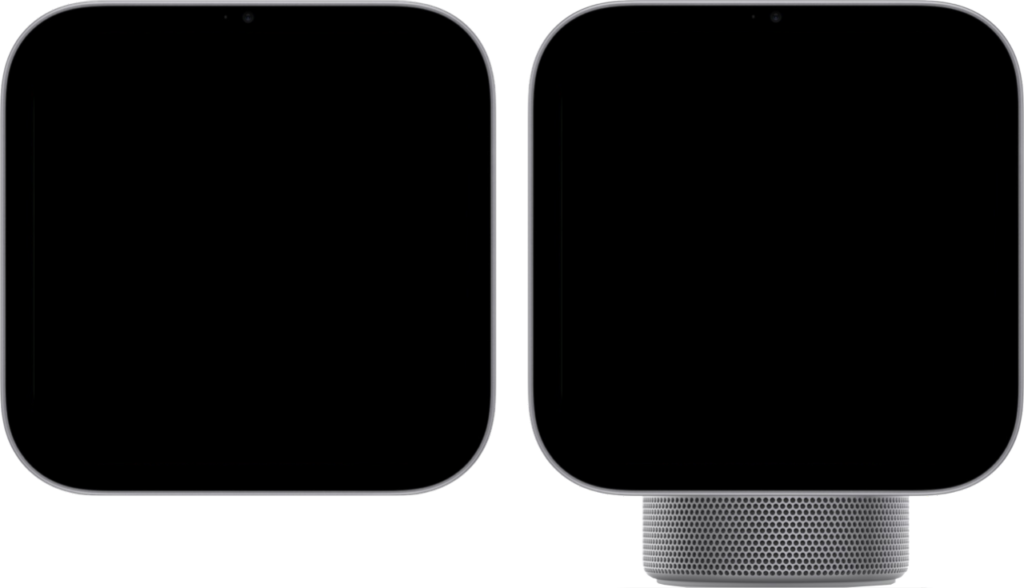
The Apple HomeView update is here, offering users important bug fixes and improvements for Siri functionality. This update aims to enhance the overall user experience.
What’s New in Apple HomeView 27.2.1?
The recent release of Apple HomeView 27.2.1 brings several notable improvements aimed at enhancing user experience and addressing previous issues. This update is particularly crucial for those relying on Siri for home automation.
Among the highlights of this update are:
- Enhanced Siri Performance: Users can expect a more responsive and reliable Siri, with improved voice recognition and command execution.
- Stability Fixes: HomeView 27.2.1 resolves multiple bugs that plagued earlier versions, ensuring smoother operation of connected devices.
- UI Improvements: The user interface has been refined for a more intuitive navigation experience, making it easier to control smart home devices.
- Compatibility Updates: This version offers better support for third-party devices, expanding the range of products that can be seamlessly integrated into the Apple ecosystem.
With these enhancements, the Apple HomeView update positions itself as a significant step forward in optimizing Siri’s functionality, making it a valuable upgrade for users seeking a more efficient smart home experience.
How to Update Your Apple HomeView
Updating your Apple HomeView is a straightforward process that can enhance your smart home experience. To ensure you have the latest features and fixes, including improvements to Siri, follow these simple steps to update your Apple HomeView.
- Open the Home App: Launch the Home app on your iPhone or iPad.
- Access Settings: Tap on the Home icon located at the top left corner of the screen.
- Select Software Update: Scroll down and select the option for Software Update to check for available updates.
- Download and Install: If an update is available, tap on the download button. Once downloaded, the installation will begin automatically.
- Restart if Necessary: After installation, it may be necessary to restart your HomeKit devices for the changes to take effect.
By keeping your Apple HomeView updated, you can take advantage of the latest enhancements and enjoy a more seamless interaction with Siri and your smart home devices.
User Reactions to the Latest HomeView Update
Users have taken to social media to share their thoughts on the recent Apple HomeView update, which promises to enhance Siri’s functionality. Many early adopters of version 27.2.1 have expressed optimism regarding the improvements.
- Positive Feedback: Several users reported that Siri’s responsiveness has noticeably improved, allowing for quicker command execution and better understanding of complex requests.
- Bug Fixes: The update has also addressed various bugs, leading to a more stable experience for those who rely on HomeView for daily tasks.
- Mixed Reactions: However, some users noted that while the update fixed certain issues, a few others still persist, leading to a sense of cautious optimism.
Overall, the Apple HomeView update has sparked a dialogue among users about their experiences with Siri’s performance. Many are hopeful that this update is a step in the right direction, potentially marking a significant improvement in the smart assistant’s capabilities.
As feedback continues to pour in, it remains to be seen whether this update is indeed the best fix for Siri or if further refinements are necessary.
Siri Improvements in HomeView 27.2.1
The recent Apple HomeView update to version 27.2.1 has sparked significant interest among users, particularly due to the enhancements made to Siri. The update aims to address some long-standing issues with the voice assistant, improving overall performance and reliability.
Key improvements in Siri include:
- Faster Response Times: Users have reported a noticeable decrease in the time it takes for Siri to process commands, making interactions feel more seamless.
- Better Understanding of Context: The update enhances Siri’s ability to understand follow-up questions and contextual requests, allowing for more natural conversations.
- Expanded Smart Home Control: Siri now provides better integration with smart home devices, improving functionality when managing lighting, temperature, and security systems.
While some users remain skeptical about whether these improvements are sufficient to fully address past frustrations, many are optimistic that the Apple HomeView update will lead to a more satisfying experience with Siri. As feedback continues to pour in, it remains to be seen how these changes will impact user satisfaction in the long run.
Common Issues Resolved in This Update
The latest Apple HomeView update, version 27.2.1, addresses several common issues that users have faced, enhancing the overall user experience. This update is particularly noteworthy as it aims to resolve long-standing bugs that have affected the performance of Siri and other essential features.
Some of the key issues that have been resolved in this update include:
- Siri Responsiveness: Users reported delays in Siri’s response times, which have been significantly improved.
- HomeKit Device Connectivity: The update enhances stability, ensuring that HomeKit devices remain connected without frequent drops.
- Voice Recognition Errors: Many users experienced issues with Siri misinterpreting commands. This update includes tweaks to improve voice recognition accuracy.
- Interface Glitches: Users noted various interface bugs that hindered navigation within the HomeView app, which have now been fixed.
With these improvements, the Apple HomeView update may just be the best fix for Siri, making smart home management more seamless and efficient for users.
Tips for a Smooth Update Process
Updating to the latest version of Apple HomeView can enhance your smart home experience significantly. To ensure a smooth update process, consider the following tips:
- Backup Your Data: Before initiating the Apple HomeView update, it’s wise to backup your settings and devices. This precaution can save you from potential data loss during the update.
- Check Compatibility: Ensure that your devices are compatible with the new update. This information can usually be found on the official Apple website or within the app itself.
- Stable Internet Connection: A reliable and fast internet connection is crucial for downloading the update without interruptions. If possible, connect your device to a Wi-Fi network.
- Follow Instructions Carefully: Adhere to the on-screen prompts during the update process. This helps avoid errors and ensures that the Apple HomeView update is installed correctly.
- Post-Update Restart: After the update, restart your devices to ensure that all new features, including Siri improvements, function properly.
By following these tips, you can navigate the update process with ease and enjoy the benefits of the latest Apple HomeView update.
What Users Are Saying About Siri Fixes
Users have taken to social media and forums to express their thoughts on the Apple HomeView update, particularly regarding the fixes for Siri. Many have shared their experiences, indicating a mixed bag of results from the enhancements introduced in version 27.2.1. Some users report noticeable improvements in Siri’s responsiveness and accuracy when handling commands related to home automation.
However, others have voiced frustration, citing that the fixes are not as impactful as they had hoped. Feedback includes:
- Positive Reviews: “Siri now understands my commands much better. It feels like a different assistant!”
- Negative Experiences: “I was expecting a bigger change. Siri still struggles with basic tasks.”
- Mixed Responses: “Some features work great, but I still run into issues with complex requests.”
As the conversation continues, it remains clear that while the Apple HomeView update has made strides in improving Siri, user experiences vary widely. Many are eager to see further enhancements in future updates.
Future Updates for Apple HomeView
The recent Apple HomeView update has garnered significant attention, but many users are wondering what the future holds for this platform. With the introduction of HomeView 27.2.1, Apple has made strides in optimizing Siri and addressing various bugs, yet the company is expected to continue evolving its smart home ecosystem.
Future updates for Apple HomeView may include:
- Enhanced Siri Capabilities: Users are eager for further improvements to Siri’s functionality, particularly in its ability to understand context and execute commands more efficiently.
- Integration with Third-Party Devices: Expanding compatibility with a wider range of smart home devices is a priority, ensuring seamless user experiences across platforms.
- More Customization Options: Apple may introduce additional features allowing users to personalize their home automation settings, enhancing user satisfaction.
- Increased Security Features: As smart home devices become more prevalent, bolstering security measures will be crucial in maintaining user trust.
As Apple continues to refine the HomeView platform, users can anticipate more exciting features and improvements aimed at making their smart homes even smarter.
via Wikimedia Commons





1 thought on “Is the Apple HomeView update the Best Fix for Siri?”